 MochiSim
September 2, 2026
Is My Phone eSIM Compatible?
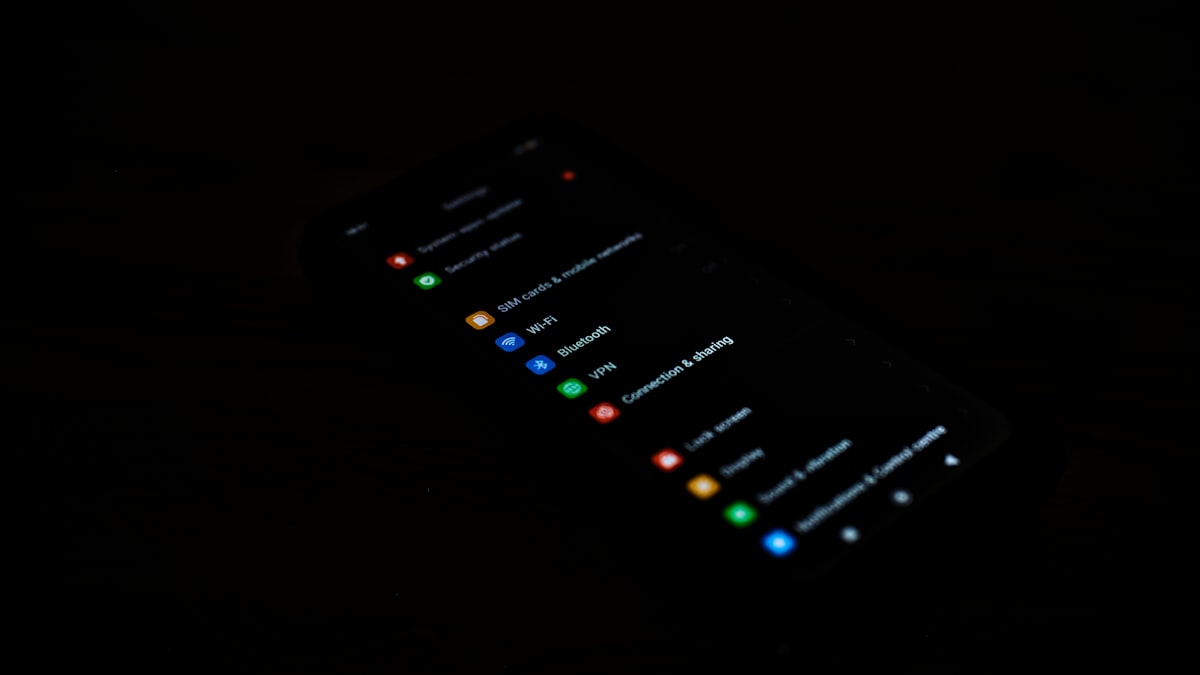
Your phone is likely eSIM-compatible if its settings include an option to add an eSIM and the device has an EID number. You also need an unlocked handset, and the exact model variant must support eSIM where it was sold. Check all three before you buy a travel eSIM, because a familiar model name alone is not enough.
How can I check whether my phone supports eSIM?
The quickest check is to look for both an EID and an eSIM installation option in your phone’s settings. An EID is the identification number for the embedded SIM hardware; it is different from the IMEI used to identify the phone itself.
Work through these steps while connected to Wi-Fi:
- Open your mobile network settings. On an iPhone, go to Settings > Mobile Service or Mobile Data. On Android, look under Settings > Network & Internet, Connections, SIM manager or a similarly named menu.
- Look for an installation option. It may say Add eSIM, Add Mobile Plan, Download a SIM or Add Carrier.
- Check for an EID. On an iPhone, open Settings > General > About and scroll down. On many Android phones, it appears under About phone, SIM status or Status information.
- Try the device information code. Dialling
*#06#often displays the EID alongside one or more IMEI numbers, although some phones or carriers disable this shortcut. - Confirm the exact model number. Find it under About phone or General > About, then compare it with the manufacturer’s support page for the country where the phone was bought.
- Check that the phone is unlocked. eSIM hardware does not remove a carrier lock.
Do not install or delete anything merely to test the menu. Seeing the option is enough for the initial check, and deleting an existing eSIM can create an avoidable afternoon with customer support.
Which iPhones support eSIM?
Most iPhone XS, iPhone XS Max, iPhone XR and later generations support eSIM, as do the second- and third-generation iPhone SE, but regional versions can differ. Some iPhones sold for particular markets use a different SIM arrangement, while certain models sold in the United States rely entirely on eSIM rather than a physical SIM tray.
For the most reliable answer, check the model number rather than simply reading “iPhone 13” or “iPhone 15” from the box. You can find it in Settings > General > About. Tap Model Number if the displayed code does not begin with the letter A, then compare that A-number with Apple’s technical specifications for your region.
You should see these signs on a compatible iPhone:
- An EID in the About screen
- Add eSIM under Mobile Service or Mobile Data
- A Carrier Lock entry under General > About
If Carrier Lock says No SIM restrictions, the iPhone is generally unlocked. Different wording may mean it is locked, or that you need to ask the original carrier to confirm its status.
Which Samsung Galaxy and Google Pixel phones support eSIM?
Many recent Samsung Galaxy and Google Pixel phones support eSIM, but the feature can vary by model number, sales region and carrier software. Android model families are particularly fond of hiding several different devices behind one almost identical name.
Samsung support is commonly found on:
- Many Galaxy S models from the S20 generation onwards
- Selected Galaxy Note20 models
- Many Galaxy Z Flip and Galaxy Z Fold models
- Selected Galaxy A-series devices
That does not mean every version in those families has eSIM enabled. For example, a carrier edition or a model intended for a particular country may have different hardware or firmware. Open Settings > Connections > SIM manager and look for Add eSIM, then verify the model code on Samsung’s regional support site.
Google Pixel phones from the Pixel 3 generation onwards commonly include eSIM support, with exceptions among some early carrier and regional editions. On a Pixel, check Settings > Network & Internet > SIMs and look for Add SIM or Set up an eSIM. Google’s device specifications and carrier documentation can confirm whether your exact variant is supported.
The settings menu is more useful than a generic online list. Lists go stale; the menu is sitting in the phone you will actually take to the airport.
What about Motorola, Xiaomi and other Android phones?
Selected phones from Motorola, Xiaomi, Huawei, Oppo, OnePlus, Nokia and other manufacturers support eSIM, but support is not universal across their ranges. It is increasingly common on flagship and foldable devices, while availability among mid-range phones and regional variants remains mixed.
Use this checklist for any Android handset:
- Find the full model name and model code under Settings > About phone.
- Look for an EID in the status information or by dialling
*#06#. - Search the settings for “eSIM”, “SIM manager” or “download SIM”.
- Read the manufacturer’s specifications for that exact model code and country.
- Check whether a system update is available, as the menu may depend on current firmware.
- If the phone came from a mobile carrier, ask that carrier whether eSIM is enabled on its version.
A retailer’s product title is not enough. Two handsets with the same marketing name can have different model codes, SIM arrangements and supported radio bands. This is why a screenshot of your About phone page is often more useful to support staff than a confident declaration that you have “the normal one”.
How do I know whether my phone is unlocked?
Your phone is unlocked if it can accept service from a carrier other than the one that originally supplied it. An eSIM-compatible phone can still be locked, in which case a travel eSIM may install but fail to connect, or the phone may reject installation altogether.
On an iPhone, check Settings > General > About > Carrier Lock. No SIM restrictions usually indicates that the handset is unlocked.
Android does not have one dependable unlock-status screen across every manufacturer. You can check in several ways:
- Ask the original carrier and provide the IMEI if requested.
- Look in the carrier’s account portal or device documentation.
- Insert a working SIM from another carrier, if your phone has a physical SIM slot.
- Contact the seller if you bought the phone second-hand or refurbished.
Avoid relying on the presence of an Add eSIM button as proof. That confirms the feature exists, not that the original carrier has released the phone for use on other networks.
What else should I check before using an eSIM abroad?
Compatibility also depends on software, network bands and how your phone handles multiple SIMs. Passing the basic eSIM check is necessary, but it does not guarantee that every network at your destination will be available everywhere.
Before travelling, check that:
- Your operating system is up to date.
- The phone supports the relevant mobile network bands listed by the eSIM provider or local network.
- Data roaming can be enabled for the travel eSIM line.
- You know which SIM will handle mobile data, calls and messages.
- Your phone can keep your home SIM active alongside the eSIM if you need verification texts.
- You have stable Wi-Fi available for installation.
- You have saved the installation instructions somewhere accessible offline.
Phones also differ in how many eSIM profiles they can store and how many lines can remain active at once. Check the manufacturer’s guide for your exact model before assuming you can run two eSIMs simultaneously.
If an EID is present but the installation menu is missing, restart the phone, install available system updates and search the settings again. A work-managed device may have eSIM changes blocked by an administrator, while carrier firmware can affect what appears. If the option is still absent, give the manufacturer or original carrier the model number, IMEI and sales region so they can check the actual variant rather than guessing from the name on the back.
Stay connected wherever you travel
Instant eSIM data plans, wherever you're going. No physical SIM, no roaming surprises.