 MochiSim
August 28, 2026
Can I Use an eSIM and Physical SIM Together?
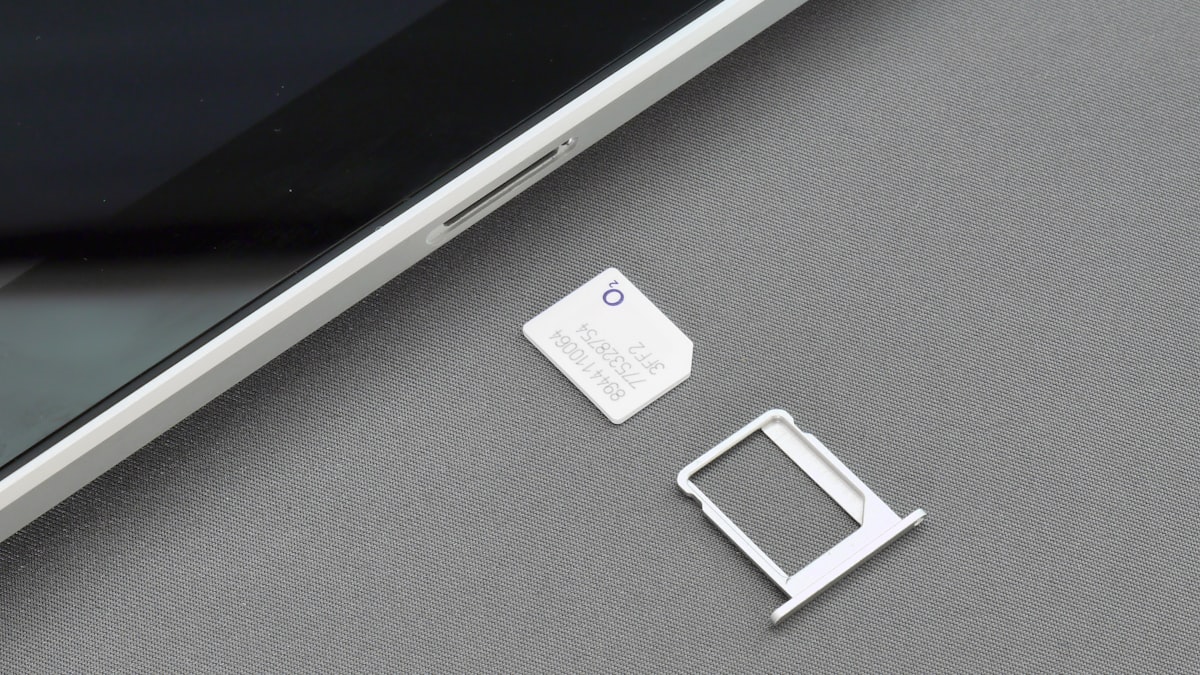
Yes, if your phone supports dual SIM with eSIM, you can use an eSIM and a physical SIM together. Travellers commonly keep their usual number active for calls and SMS while directing mobile data through a travel eSIM.
The important bit is setting the correct line for each job. Otherwise, your phone may quietly use your home SIM for roaming data, which is rarely the souvenir anyone wants.
How does dual SIM work with an eSIM?
Dual SIM lets one phone hold two mobile lines, usually one on a physical SIM card and another on an embedded eSIM. Instead of swapping tiny bits of plastic in an airport arrivals hall, you install the second mobile profile digitally.
Most compatible phones use a system called Dual SIM Dual Standby. Both lines can remain registered with their respective networks while the phone is idle, so either may receive a call or message. They still share parts of the phone’s radio hardware, however, which can matter when one line is actively handling a call.
In your phone’s settings, you can normally assign separate roles to the two lines:
- Your physical SIM can remain the default for voice calls.
- Your physical SIM can continue receiving SMS messages sent to your usual number.
- Your travel eSIM can be selected for mobile data.
- Supported phones may let you choose a line each time you place a call.
- Contacts may remember which line you used previously.
The exact controls and wording vary between phone models and software versions. Look under Mobile Data, Cellular, Connections or SIM Manager.
Can I keep receiving calls and texts on my usual number?
Yes, your usual number can generally remain active if its physical SIM is switched on and able to connect to a roaming network. That is useful for verification messages, calls from home and the inevitable group chat asking whether you have landed yet.
Keeping the line active does not change your home carrier’s roaming terms. Receiving or making calls, sending SMS messages and using voicemail may be treated differently from receiving an ordinary text, so check those terms before travelling. If you only need verification messages, avoid making the home SIM your data line and be cautious about returning calls through the normal dialler.
Messaging apps such as WhatsApp, Signal and Telegram use whichever mobile data connection you select. They do not usually require your home SIM to provide the data connection once the app is set up.
iMessage and RCS deserve a little more attention. Changing SIM settings can occasionally trigger a prompt about which number or address to use, while RCS may need to verify your number again. Before departure, check that your usual number remains selected for sending and receiving messages if that is what you want.
How do I set up a physical SIM and travel eSIM?
Set up the eSIM while you have reliable internet access, then tell the phone explicitly which line should handle data. Installation and activation rules vary by provider, so follow the instructions supplied with the eSIM rather than assuming every profile begins working in the same way.
- Check that the phone is unlocked. A carrier-locked phone may reject an eSIM from another provider even if the device supports eSIM technology.
- Confirm dual-SIM support for your exact model. Regional versions of the same phone can have different SIM hardware and software features.
- Install the eSIM profile. This is commonly done by scanning a QR code, following an installation link or entering details manually.
- Give each line a clear label. Names such as “Home” and “Travel” are less confusing than two carrier names when you are tired after a night flight.
- Keep the physical SIM as the default voice line. Do this if you want outgoing calls to continue using your usual number.
- Select the travel eSIM for mobile data. This directs ordinary internet use, maps and app messages through the eSIM.
- Turn off data roaming for the home SIM. This helps prevent it from taking over data duties abroad.
- Follow the eSIM provider’s roaming instructions. Some travel eSIMs connect through partner networks and require data roaming to be enabled on that specific line.
- Consider disabling mobile data switching. On supported phones, this setting allows the device to move data to the other SIM when reception changes. Leaving it off gives you firmer control over which line provides data.
After arrival, open a webpage using mobile data rather than hotel Wi-Fi. Then check the status bar or SIM settings to confirm that the travel line is carrying the connection.
What should I check before travelling?
You need to verify the phone, the carrier lock and the eSIM’s features before relying on this arrangement. A phone having two entries in its SIM menu does not automatically mean every combination will work.
Check the following:
- Exact device model: Use the model number in the phone’s settings, not merely the product family name.
- Regional variant: Some versions support eSIM while visually identical versions do not.
- Carrier lock status: Ask your carrier or use the lock-status information provided in the phone’s settings where available.
- Dual-SIM behaviour: The manufacturer’s support page should explain whether both lines can remain enabled together.
- Travel eSIM services: Many travel eSIMs are data-only, but features differ. Check whether the listing includes a phone number, calls or SMS if you need them.
- Tethering support: If you plan to use a laptop, confirm whether your device, provider and selected network permit hotspot use.
- Home carrier roaming terms: Check what happens when the physical SIM receives calls, sends messages or accesses voicemail abroad.
Take a screenshot of the eSIM installation details and support instructions before leaving home. Do not share a QR code publicly; it may contain the information needed to install your profile.
Are both SIMs genuinely active at the same time?
Usually they are both available on standby, but that does not mean they can always handle two active connections simultaneously. This is the slightly unglamorous technical footnote hidden behind the tidy phrase “dual SIM”.
On a Dual SIM Dual Standby phone, taking a voice call on one line may make the other line temporarily unreachable or interrupt its data connection. Whether data continues during the call can depend on the phone, network technology, operator support and settings such as Wi-Fi Calling.
Dual SIM Dual Active devices can keep both lines active more independently, but you should not assume your phone has that feature. Check the manufacturer’s documentation for your exact model.
For ordinary travel use, the standby limitation is often manageable. Maps may pause during a call and reconnect afterwards. If uninterrupted data during calls matters for work, test the combination before depending on it for a meeting from a railway platform.
What can go wrong when using two SIMs abroad?
The most common problem is the phone using the wrong line for data, particularly after weak reception or a software update changes a setting. Clear labels and disabled data switching make that easier to spot.
Other problems have fairly practical fixes:
- The eSIM shows no service: Restart the phone, confirm the line is enabled and try manual network selection if the provider recommends it.
- Data does not work: Check that the eSIM is the selected data line and that its APN and roaming settings match the provider’s instructions.
- The home SIM uses data: Turn off data roaming for that line and confirm mobile data switching is disabled.
- Calls leave from the wrong number: Review the default voice line and any SIM preference saved for that contact.
- Verification texts do not arrive: Confirm the home line is enabled and registered on a network. The sender or home carrier may also restrict delivery while roaming.
- Installing the eSIM fails: Do not repeatedly delete and rescan the profile. Some installation codes cannot be reused, so consult the provider’s instructions first.
If you want maximum separation, you can leave the home SIM enabled for incoming messages but avoid selecting it for calls or data. For an especially quiet trip, switch that line off entirely and use internet-based messaging through the eSIM. Your family may call this evasive. You may call it a holiday.
Stay connected wherever you travel
Instant eSIM data plans, wherever you're going. No physical SIM, no roaming surprises.